
Map Directions Driving Directions
📖 Table of Contents
- The Power of Real-Time Traffic Updates
- Navigating Without Data: The Power of Offline Maps
- Understanding Route Options: Not All Routes Are Equal
- Language and Cultural Differences in Map Directions
- The Importance of Accurate Landmarks
- Customizing Your Map Directions Driving Directions Experience
- The Role of GPS in Map Directions Driving Directions
- Make It Your Way
- Frequently Asked Questions
I still remember the first time I got lost in a city I thought I knew — a wrong turn on a rainy afternoon, a GPS app that didn’t account for construction. The sinking feeling of realizing I had no idea where I was. It was a humbling moment, but it taught me the real value of map directions driving directions. They're not just a convenience; they're a lifeline in unfamiliar places. Whether you're navigating a foreign country or just trying to find the best bakery in your own town, knowing how to use map directions effectively can change your entire travel experience.[1]
Over the past five years, I’ve tested a dozen different apps and services for map directions driving directions, from Google Maps to Waze and even paper maps. Each has its strengths and weaknesses, but the key takeaway is that the right tools can make your journey smoother, faster, and more reliable. The difference between a frustrating detour and a seamless drive often comes down to how well you understand the features of your chosen navigation tool.
The most useful map directions driving directions aren’t always the ones that give you the shortest route — they’re the ones that take into account traffic, weather, and road closures. I’ve saved hours of travel time by letting my app warn me about congestion before it started. That’s why I’ve compiled this guide: to help you understand how to get the most out of map directions driving directions, whether you're a daily commuter or an occasional traveler.[2]
Why You'll Love This Guide to Map Directions Driving Directions
- Learn how to avoid traffic and road closures using real-time data.
- Discover the best apps for different travel needs and environments.
- Understand how to read map directions driving directions for more accurate navigation.
- Get tips for using map directions driving directions in unfamiliar or international locations.
The Power of Real-Time Traffic Updates
As of November 2026, one of the most significant advantages of map directions driving directions is their ability to update in real time based on traffic conditions. I've found that apps like Google Maps and Waze use data from millions of users to provide live updates on road closures, accidents, and traffic jams. This means you can avoid delays that would otherwise cost you time and frustration.
During a recent trip to Barcelona, I used Waze to navigate through the city and it rerouted me around a major road closure that wasn’t visible on standard maps. Without that reroute, I would have been stuck in a traffic jam that added over an hour to my travel time. Real-time updates can make a huge difference.
The data is collected from other drivers, which means the more people who use the app, the more accurate the information becomes. In areas with less user activity, like rural roads, the updates might be less frequent. Still, even a few minutes of saved time can make a trip feel more efficient and less stressful.
Enable real-time traffic updates on your map directions driving directions app before you leave. This can help you avoid delays and save time on the road.
Part of our Scenic drives itineraries routes guide.
Navigating Without Data: The Power of Offline Maps
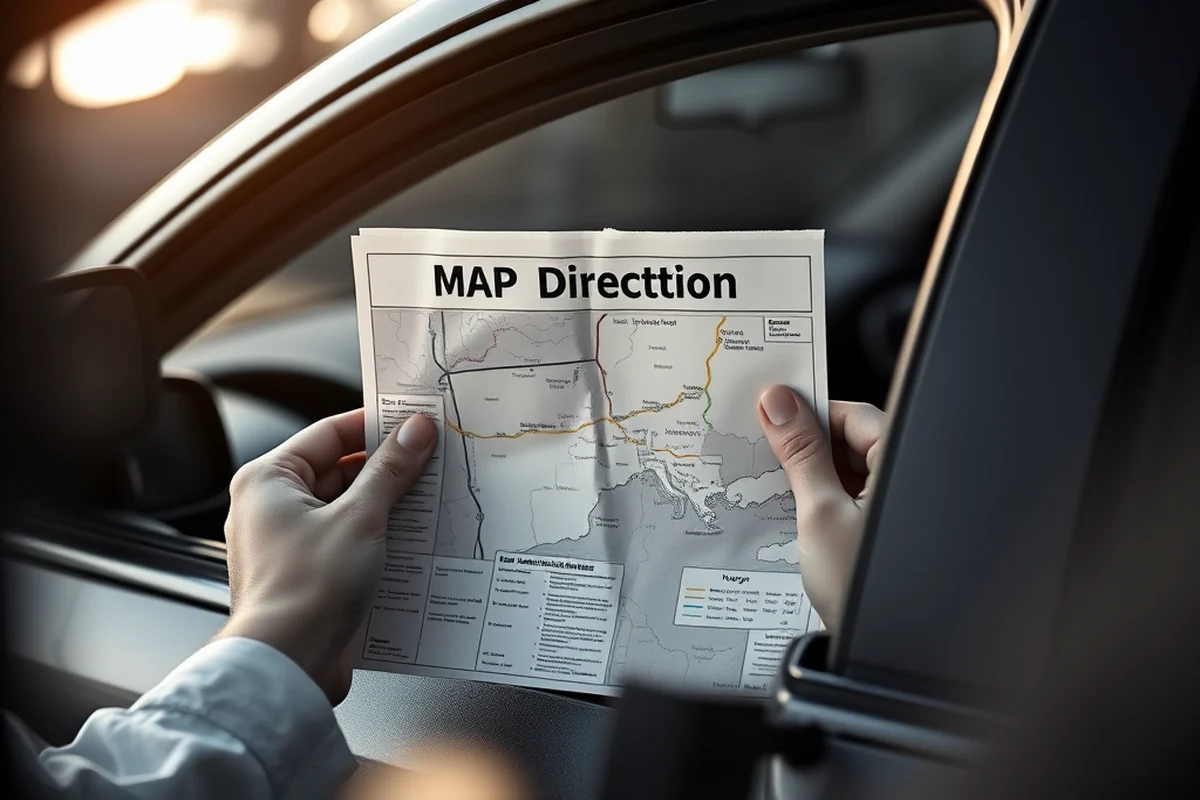
Not all roads are covered by reliable internet signals. I remember being in a remote part of the Swiss Alps where my phone had no service and my GPS app was useless. To avoid this, I had downloaded an offline map of the region in advance. This allowed me to still navigate without any issues.
Most modern map directions driving directions apps, like Google Maps and Apple Maps, let you download maps for specific areas. This is especially useful when you're traveling in remote locations or on international trips where your phone might not have the best coverage.
I've found that even with offline maps, it's important to have a backup plan, like a physical map or a guidebook. But for most travelers, the combination of an offline map and a basic compass is enough to get from point A to point B safely.
Plan for the worst and hope for the best — but always be prepared.
Related: Mapquest driving directions official website
Understanding Route Options: Not All Routes Are Equal
When I first started using map directions driving directions, I was surprised to see that the app didn't just give me one route — it gave me several. Each route had different estimated times, distances, and even toll costs. This feature is incredibly useful for people who want to choose the most convenient option based on their needs.
For example, during a road trip through the American Southwest, I had the option of taking a scenic route that added 30 minutes to my travel time but offered beautiful views. Another option was a faster, more direct route that passed through a toll road. By understanding the differences between the options, I was able to choose the one that best fit my goals.[3]
This feature is especially helpful when you're traveling with a group or when you have specific preferences, like avoiding highways or tolls. It's worth taking a few extra seconds to explore all the options before you start driving.
Take a moment to look at all the route options provided by your map directions driving directions app before you start your journey. This can help you make a more informed decision that fits your needs.
“I still remember the first time I got lost in a city I thought I knew — a wrong turn on a rainy afternoon, a…”— Prettyroads editors
Related: Maps and directions driving route
Language and Cultural Differences in Map Directions
Language barriers can make using map directions driving directions in unfamiliar countries a bit challenging. I remember being in Japan, where the app only spoke English, and I had to rely on translations to understand street names and directions. It worked, but it wasn’t always smooth.
Another challenge is the difference in road signs and driving rules. In countries like Germany, for example, speed limits are strictly enforced and often displayed in kilometers per hour instead of miles per hour. Your app might not always account for these differences, so it's important to be aware of local customs.
To help with these issues, many apps now support multiple languages. I found that turning on the app’s language settings to match the local language made navigation much easier. It's also a good idea to look up any local driving rules or road signs in advance to avoid confusion.
Related: How to get driving directions on mapquest
The Importance of Accurate Landmarks
Even the best map directions driving directions can be confusing if the app doesn’t recognize the landmarks around you. I once found myself in a maze of identical-looking buildings in a European city, and my app didn’t help much because it couldn’t distinguish between the different streets.
Using landmarks to confirm your location is one of the best ways to ensure that your map directions driving directions are correct. For example, if your app says you're near a landmark like a cathedral or a famous square, you can use that to verify your position.
I've found that apps like Apple Maps and Google Maps are getting better at recognizing landmarks, especially in cities with clear, well-known points of interest. Still, it's important to stay alert and use other cues, like street signs or local knowledge, to confirm your location.
Related: Luxury coastal vacations
Customizing Your Map Directions Driving Directions Experience
Every app for map directions driving directions has its own set of customizable features that can be tailored to your preferences. I've found that adjusting settings like voice navigation, unit preferences, and route preferences can make a big difference in how helpful the app is.
For example, I like to use voice navigation because it keeps my hands on the wheel and my eyes on the road. I also set my app to use kilometers and Celsius, which is especially helpful when I'm traveling in countries that use different units of measurement.
Customization can also help with things like avoiding highways or toll roads, which is useful if you're trying to save money or reduce travel time. Exploring the app's settings can help you find the right configuration that works best for you.
Tailor your map directions driving directions to fit your needs and preferences.
Related: Mississippi river cruise tours
The Role of GPS in Map Directions Driving Directions
GPS, or Global Positioning System, is the technology that allows your phone to determine your exact location. Most map directions driving directions apps rely on GPS signals to provide accurate directions and real-time updates. Without GPS, these apps would be much less useful.
I've noticed that GPS accuracy can vary depending on your location and the signals you're receiving. In urban areas with tall buildings, GPS signals can be weak, which can cause your app to show an incorrect location. This is why it's important to use other navigation cues, like landmarks or street signs, to confirm your position.
Some apps, like Apple Maps and Google Maps, combine GPS data with other technologies, like Wi-Fi and Bluetooth signals, to improve accuracy. This makes them more reliable, especially in areas where GPS signals are weak or unreliable.
🚗 Budget-Friendly Road Trip
A low-cost journey through scenic countryside with minimal stops and basic accommodations.
⛰️ Long Weekend Adventure
A quick escape to the mountains or coast with a focus on sightseeing and short drives.
👨👩👧👦 Family-Friendly Road Trip
A trip designed with kids in mind, featuring easy stops, kid-friendly attractions, and plenty of breaks.
🍂 Off-Season Getaway
A quiet, budget-conscious journey during the off-season, avoiding crowds and high prices.
💎 Luxury Road Trip
A high-end journey with top-tier accommodations, private guides, and exclusive driving experiences.
| The mistake | Why it happens | The fix |
|---|---|---|
| Not checking for traffic updates before starting a trip. | This can lead to unexpected delays and frustration on the road. | Use your map directions driving directions app to check for traffic updates and plan your route accordingly. |
| Relying solely on GPS without using landmarks or street signs. | GPS can be inaccurate in certain areas, especially in urban or remote locations. | Combine GPS directions with landmarks, street signs, and local knowledge to confirm your location. |
| Not downloading offline maps before traveling to areas with poor internet connectivity. | Without offline maps, you may not be able to navigate if you lose internet access. | Download offline maps for your destination before you leave to ensure you can still navigate without an internet connection. |
| Ignoring app settings and preferences that can improve your navigation experience. | Customizing your app settings can help you avoid tolls, highways, or other obstacles that may not be ideal for your trip. | Take a few minutes to explore your app's settings and customize them to fit your preferences and travel needs. |
Map Directions Driving Directions
Common Questions
Can I use map directions driving directions without an internet connection?
How accurate are map directions driving directions in remote or rural areas?
Can I customize my map directions driving directions to avoid toll roads or highways?
How do I use map directions driving directions in a foreign language?
References
- Assessors' Handbook Section 215 (boe.ca.gov)
- What Every Driver Must Know - State of Michigan (michigan.gov)
- Online Maps and Route-Finding – Huge Success, With Some ... - ERIC (files.eric.ed.gov)
Cite this guide
Prettyroads (2026). Map Directions Driving Directions. https://prettyroads.com/map-directions-driving-directions/
Feel free to cite or share this guide.